Overview
Removing navigation elements like the header on dedicated landing pages can significantly increase conversions by keeping visitors focused strictly on your call-to-action. The Surge theme includes a built-in Landing Page Without Header template designed to eliminate distractions while allowing complete control over your content and footer elements.
This article guides you step-by-step through setting up, assigning, and customizing your page using this template.
Step-by-Step Guide
Step 1: Create a Page
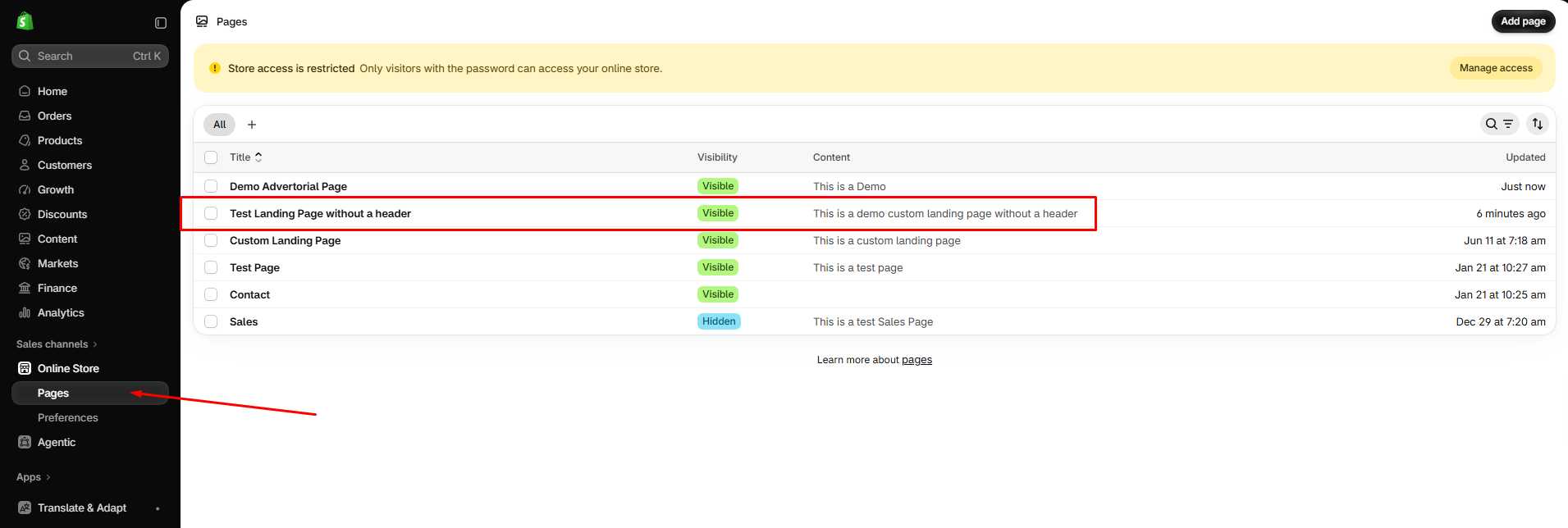
From your Shopify admin panel, navigate to Online Store > Pages.
Click Add page in the upper-right corner (or select an existing page you wish to modify).
Enter a Title (e.g., Test Landing Page without a header) and your initial content.
Step 2: Assign the Template & Set Visibility
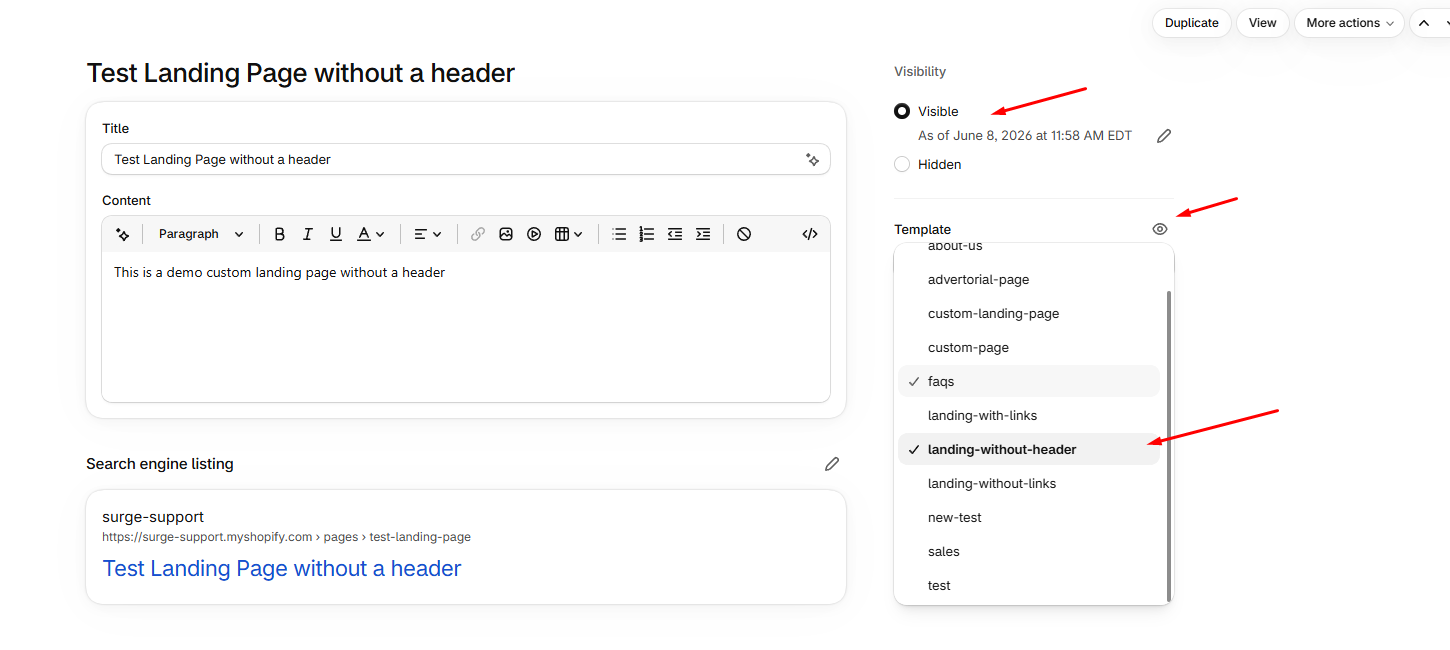
In the page editor, locate the Template box on the bottom right panel.
Click the dropdown menu and select
landing-without-headerUnder the Visibility section at the top right, make sure the status is set to Visible
Click Save.
Step 3: Customize the Page in the Theme Customizer
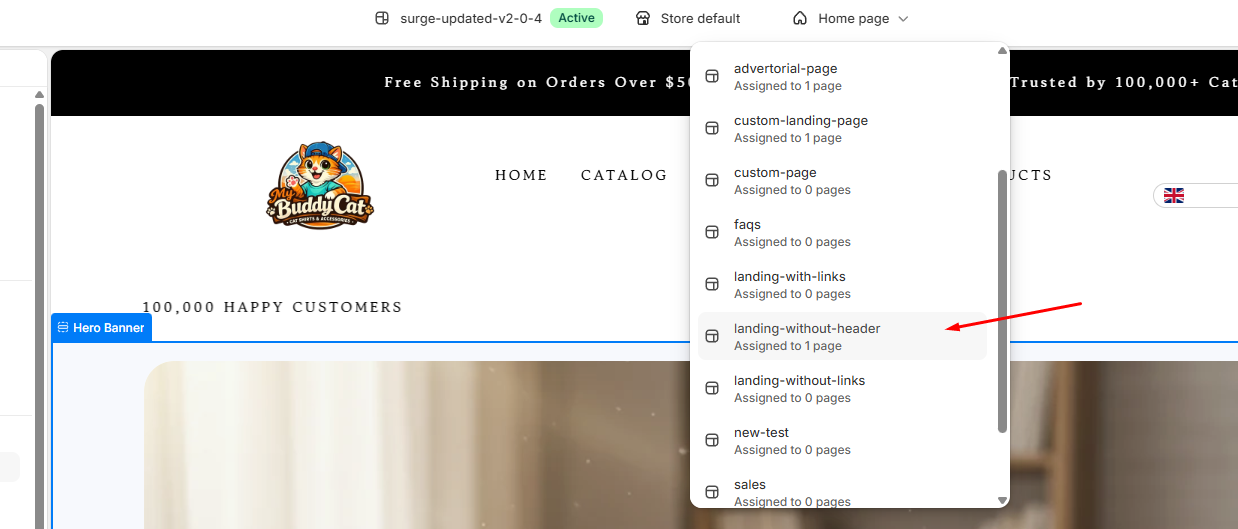
Go to Online Store > Themes and click Customize next to your Surge theme
At the top of the screen, click the main dropdown menu (where it says Home page)
Select Pages, then choose
landing-without-headerfrom the list
Step 4: Add Sections & Publish Changes
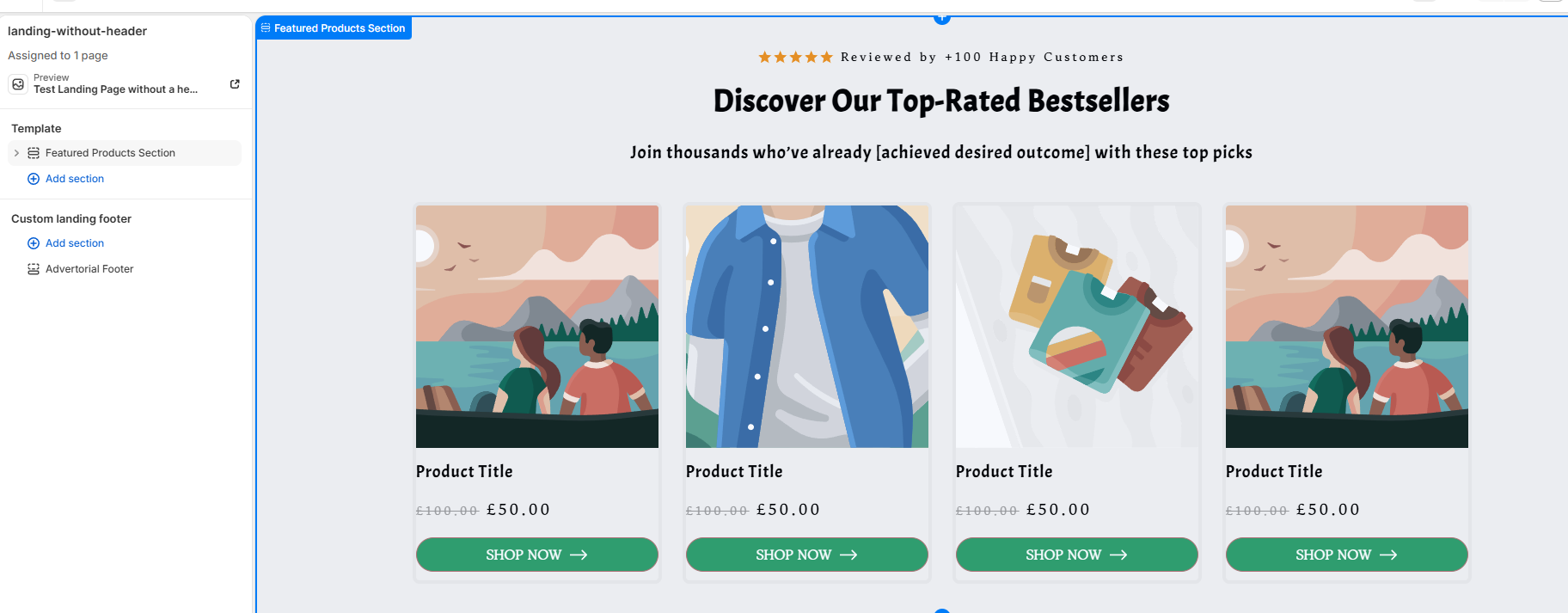
Use the left sidebar to add custom sections (e.g., Featured Products Section, Hero Banners, etc.) and customize your Custom landing footer
Notice that the top header is completely hidden, providing a clean focus on your content[cite: 3, 4].
Once satisfied with the layout, click Save in the top right corner to publish your customizations
Pro Tip
? Maximize Conversion Rates: Since the main header navigation is hidden on this template, ensure your landing page contains clear, high-contrast Call-to-Action (CTA) buttons throughout the body content so visitors always have an easy path to purchase or sign up.
Closing
By using the Landing Page Without Header template, you can easily build targeted, high-converting sales and promotional pages directly within the Surge theme without modifying any code!
Need Further Help?
If you run into any issues or have additional questions about setting up your templates, please feel free to submit a support ticket to [email protected]. Our support team will be happy to assist you!
Was this article helpful?
That’s Great!
Thank you for your feedback
Sorry! We couldn't be helpful
Thank you for your feedback
Feedback sent
We appreciate your effort and will try to fix the article