Overview
The Language Selector allows customers to switch between published languages on your storefront directly from the header and footer of your Surge theme. This native feature helps create a localized shopping experience for international customers by making it easy to browse your store in their preferred language.
Benefits of the Language Selector
- Improve the shopping experience for international customers.
- Make your storefront accessible in multiple languages.
- Help customers navigate your store more comfortably in their native language.
- Support Shopify Markets and multilingual storefront strategies.
- Increase trust and engagement with global audiences.
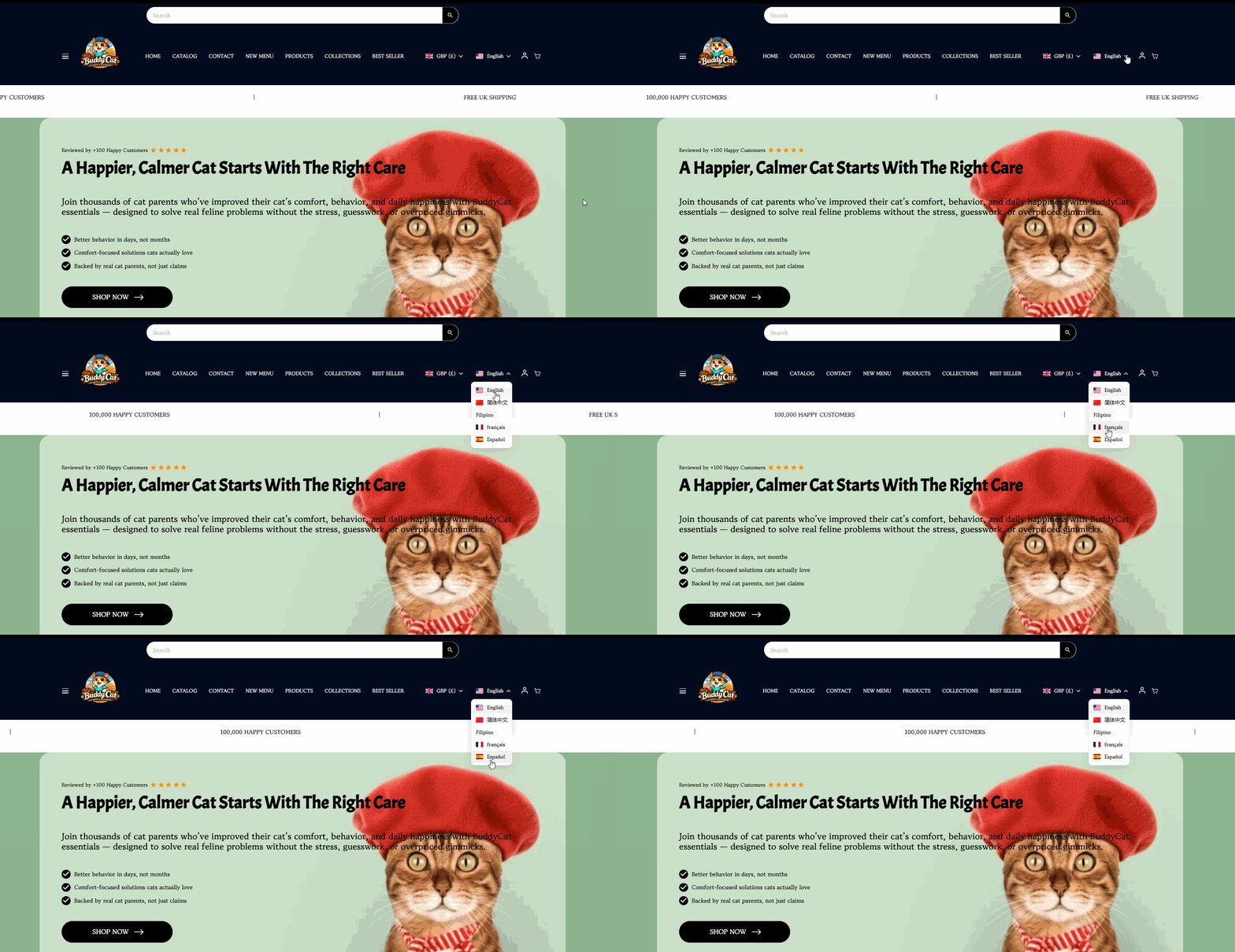
How to Enable the Language Selector
Before enabling the Language Selector in Surge, ensure that all desired languages have been added and published within your Shopify store.
Step 1: Install and Configure a Translation App
Before enabling the Language Selector, install and configure a translation app such as Shopify Translate & Adapt or Langify.
- Install your preferred translation app.
- In the translation app e.g. Translate & Adapt, set all the added Languages to "Auto-translate".
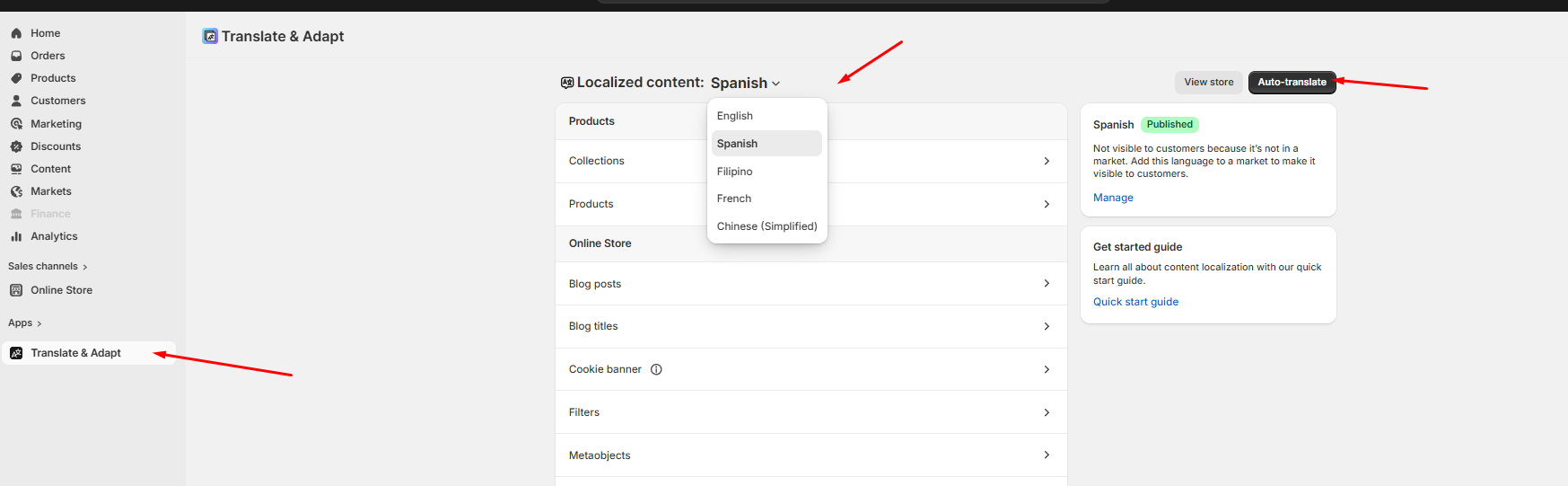
Step 2: Add and Publish Languages in Shopify
- From your Shopify Admin, navigate to Settings.
- Select Languages.
- Add any languages you would like to make available on your storefront.
- Ensure each language is published and available to customers.
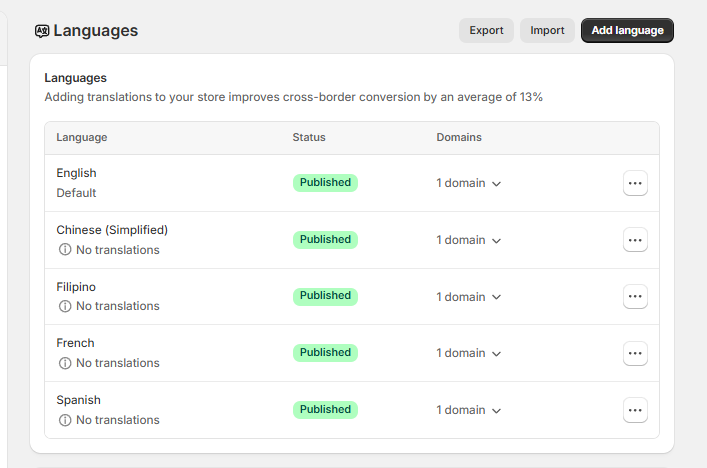
Step 3: Enable the Language Selector in the Header
- From your Shopify Admin, navigate to Online Store > Themes.
- Locate your Surge theme.
- Click Edit Theme.
- Open the Header section.
- Locate the Enable Language Selector setting.
- Toggle the setting on.
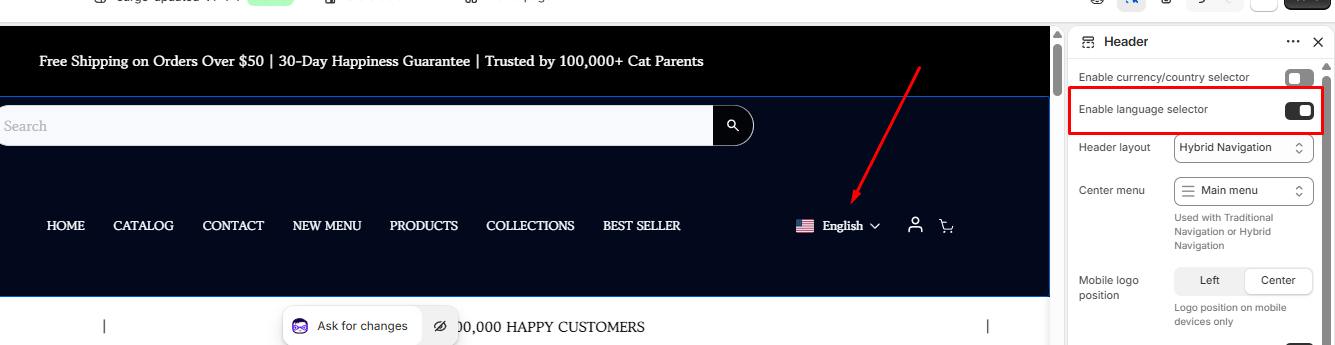
Step 3: Enable the Language Selector in the Footer
- Within the Theme Editor, open the Footer section.
- Locate the Enable Language Selector setting.
- Toggle the setting on.
- Save your changes.
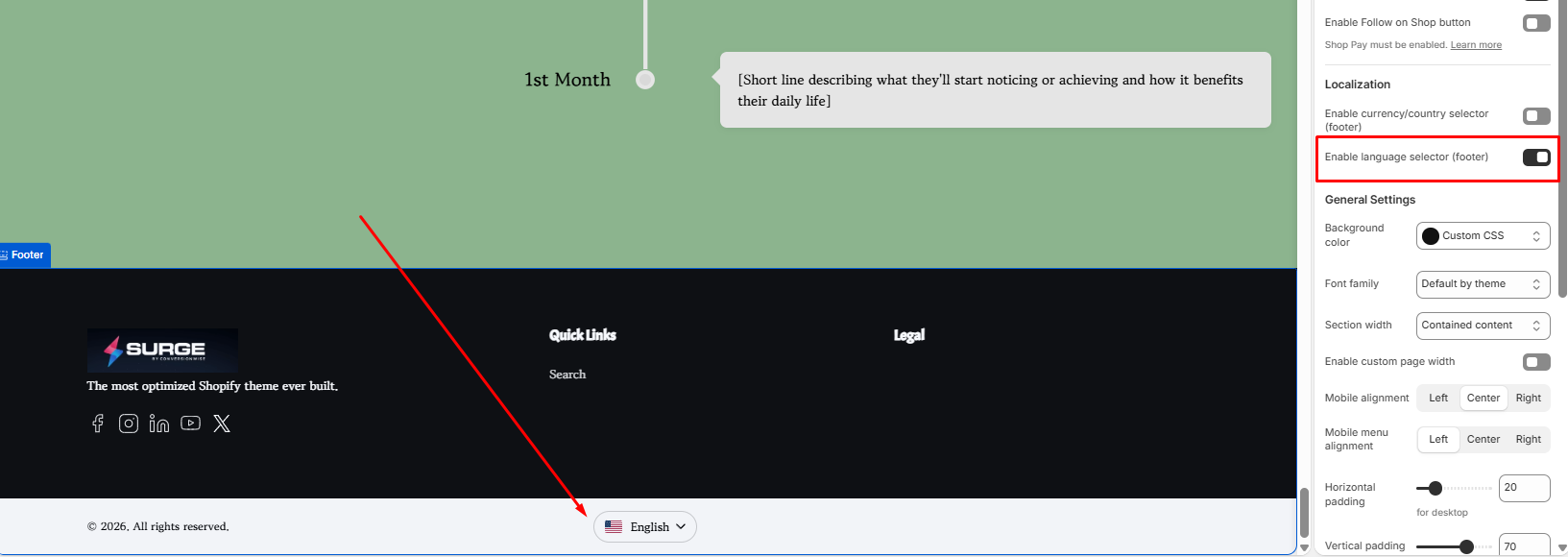
Once enabled, customers will be able to switch between your published languages from both the header and footer of your storefront.
You're All Set!
Your Language Selector is now active and ready to help customers browse your store in their preferred language. Remember that only languages that have been added and published in Shopify will appear in the selector.
If you need any assistance with this feature or have questions about your Surge theme setup, please reach out to our support team by submitting a ticket to [email protected]. We're always happy to help.
Was this article helpful?
That’s Great!
Thank you for your feedback
Sorry! We couldn't be helpful
Thank you for your feedback
Feedback sent
We appreciate your effort and will try to fix the article