Overview
The Currency/Country Selector allows customers to switch between supported countries and currencies directly from the header of your Surge theme. This native feature integrates with Shopify Markets, providing a localized shopping experience by displaying prices and checkout options based on the customer's selected market.
Benefits of the Currency/Country Selector
- Display prices in customers' local currencies.
- Improve the shopping experience for international visitors.
- Support multi-market selling through Shopify Markets.
- Reduce friction at checkout by showing localized pricing.
- Increase customer trust by providing a familiar shopping experience.
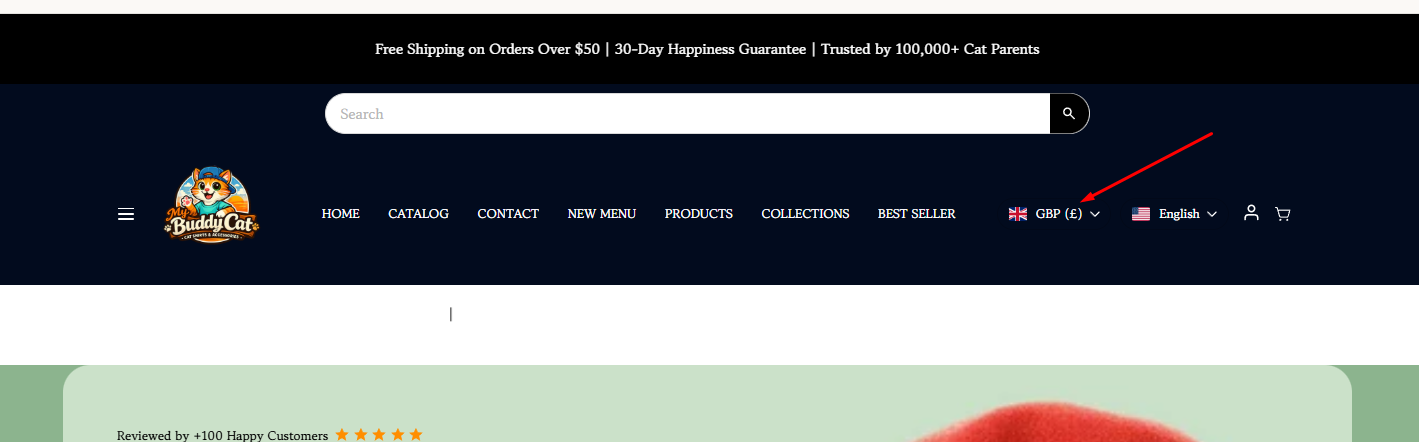
Before You Begin
The Surge Currency/Country Selector relies on Shopify Markets to manage countries, regions, and currencies. Before enabling the selector, you must configure your markets and currencies within Shopify.
How to Enable the Currency/Country Selector
Step 1: Configure Shopify Markets
- From your Shopify Admin, navigate to Settings > Markets.
- Create a new market or edit an existing market.
- Add the countries or regions you wish to sell to.
- Configure the appropriate currency for each market.
- Complete any additional market settings, including pricing, domains, and language settings as needed.
- Ensure your markets are active and available to customers.
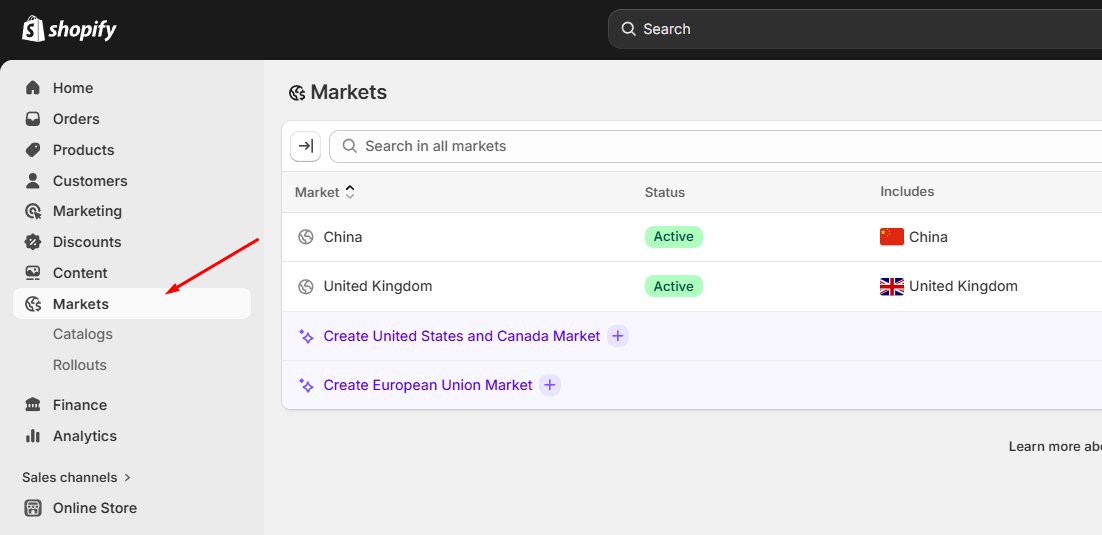
Note: The Currency/Country Selector will only display countries and currencies that have been configured and activated within Shopify Markets.
Step 2: Enable the Currency/Country Selector in Surge
- From your Shopify Admin, navigate to Online Store > Themes.
- Locate your Surge theme.
- Click Edit Theme.
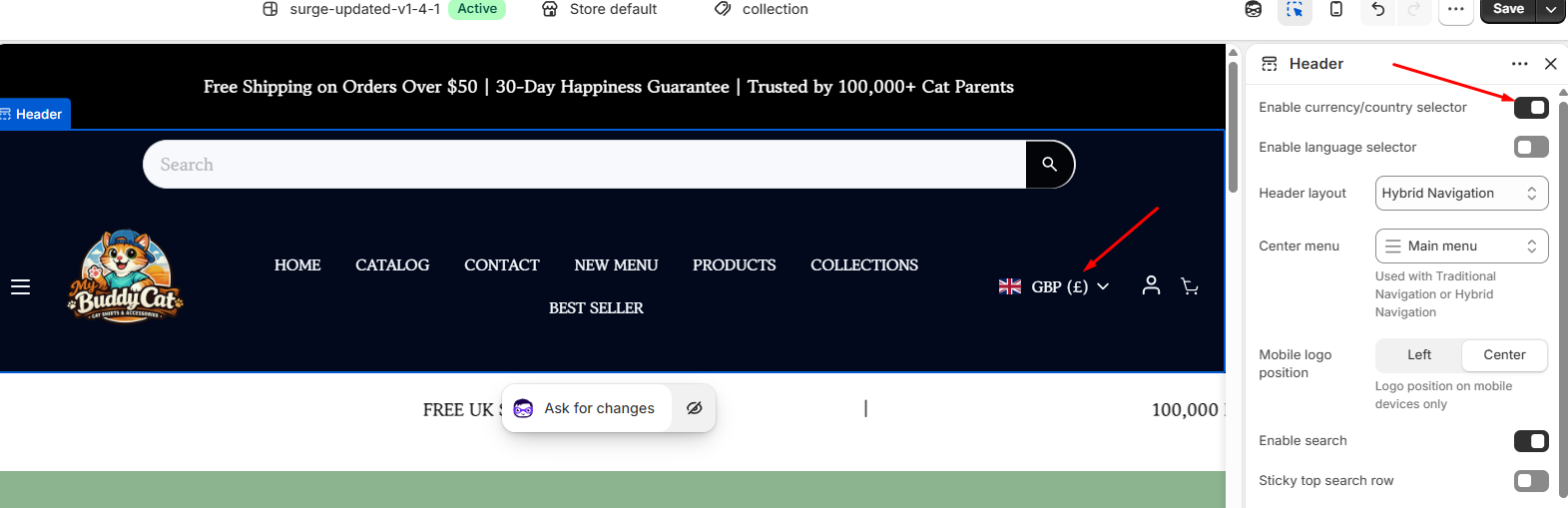
- Open the Header section.
- Locate the Enable Currency/Country Selector setting.
- Toggle the setting on.
- Save your changes.
You're All Set!
Your Currency/Country Selector is now active and ready to help customers shop in their preferred currency and market. As your business expands internationally, Shopify Markets and the Surge Currency/Country Selector work together to provide a seamless localized shopping experience.
Need Help?
If you need any assistance with this feature or have questions about your Surge theme setup, please reach out to our support team by submitting a ticket to [email protected]. We're always happy to help.
Was this article helpful?
That’s Great!
Thank you for your feedback
Sorry! We couldn't be helpful
Thank you for your feedback
Feedback sent
We appreciate your effort and will try to fix the article