Overview
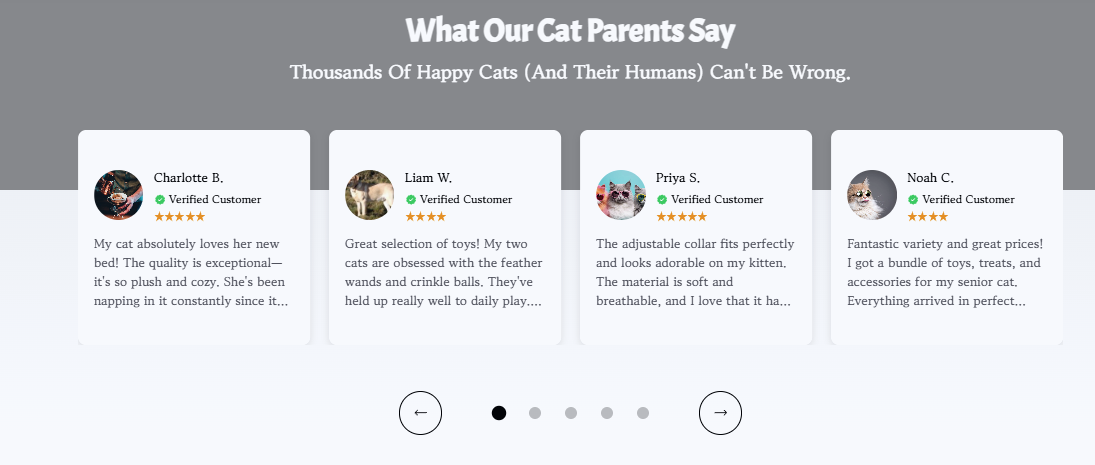
The Testimonial section in the Surge theme helps you build trust by showcasing real customer experiences directly on your storefront. You can display multiple testimonials in an attractive, scrollable layout while customizing the section heading, colors, typography, background, and individual testimonial cards to match your brand.
How to Add the Testimonial Section
- Navigate to Online Store → Surge Theme.
- Click Edit Theme.
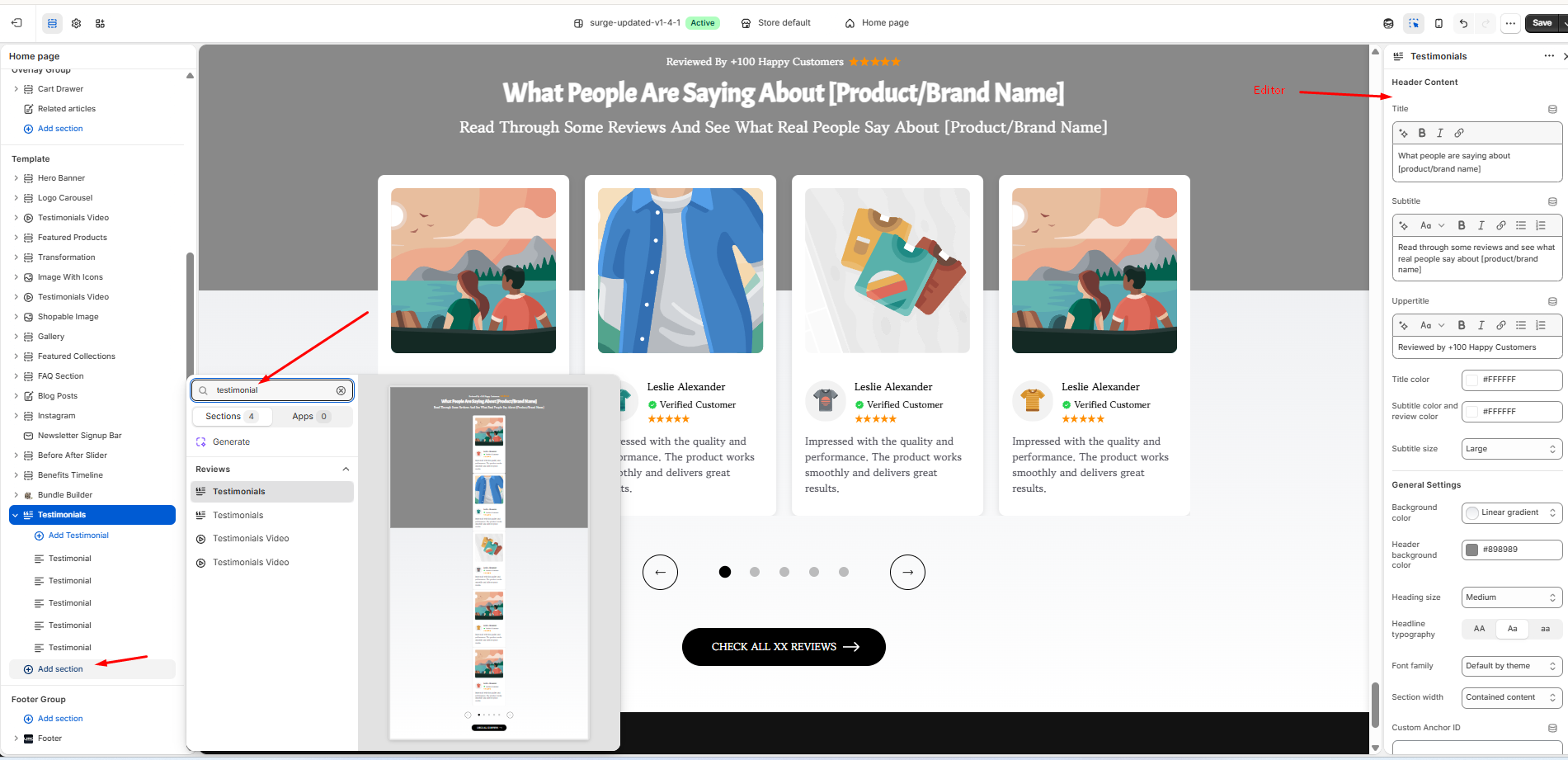
- Under the Template panel, click Add section.
- Search for Testimonial.
- Select the Testimonial section to add it to your page.
- Customize the section using the Testimonial section editor.
Customizing the Testimonial Section
Once the section has been added, you can personalize it using the editor on the right-hand side.
Header Content
Customize the introductory content that appears above your testimonials, including:
- Title
- Subtitle
- Upper Title
- Text formatting (bold, italic, links, lists, etc.)
- Title and subtitle colors
- Subtitle size
General Settings
Adjust the overall appearance of the section by configuring options such as:
- Background color or gradient
- Header background color
- Heading size
- Headline typography
- Font family
- Section width and spacing (where applicable)
Managing Testimonials
Each testimonial is added as an individual content block.
You can:
- Click Add Testimonial to create a new testimonial.
- Edit existing testimonial blocks.
- Reorder testimonials by dragging and dropping the blocks.
- Remove testimonials that are no longer needed.
This makes it easy to highlight your best customer reviews and keep your social proof up to date.
Pro Tip
Use authentic customer photos, names (with permission), star ratings, and specific feedback whenever possible. Testimonials that mention real product benefits or outcomes tend to build more trust and can help improve conversion rates.
Closing
The Testimonial section is a simple but powerful way to reinforce customer confidence and provide social proof throughout your store. Regularly updating your testimonials with fresh customer feedback helps keep your storefront engaging and credible.
Was this article helpful?
That’s Great!
Thank you for your feedback
Sorry! We couldn't be helpful
Thank you for your feedback
Feedback sent
We appreciate your effort and will try to fix the article