Featured Products: Switch Between Stacked and Slider Layouts

Created by Albert from ConversionWise Support, Modified on Wed, 24 Jun at 8:43 PM by Albert from ConversionWise Support

Overview

The Featured Products section in Surge gives you flexibility in how products are displayed on your storefront.

By default, products are shown in a stacked grid layout, allowing customers to view multiple products at once. If you'd prefer a more interactive experience, you can easily switch the section to a scrollable Slider layout, enabling customers to browse products horizontally using navigation controls.

This guide will walk you through changing the Featured Products section from the default stacked layout to the Slider layout.


How to Enable the Featured Products Slider

Step 1: Open the Theme Editor

From your Shopify Admin:

Online Store → Themes → Surge → Customize

This will open the Surge Theme Editor.


Step 2: Select the Featured Products Section

In the left-hand sidebar:

  1. Locate the Featured Products section.
  2. Click on it to open the section settings.

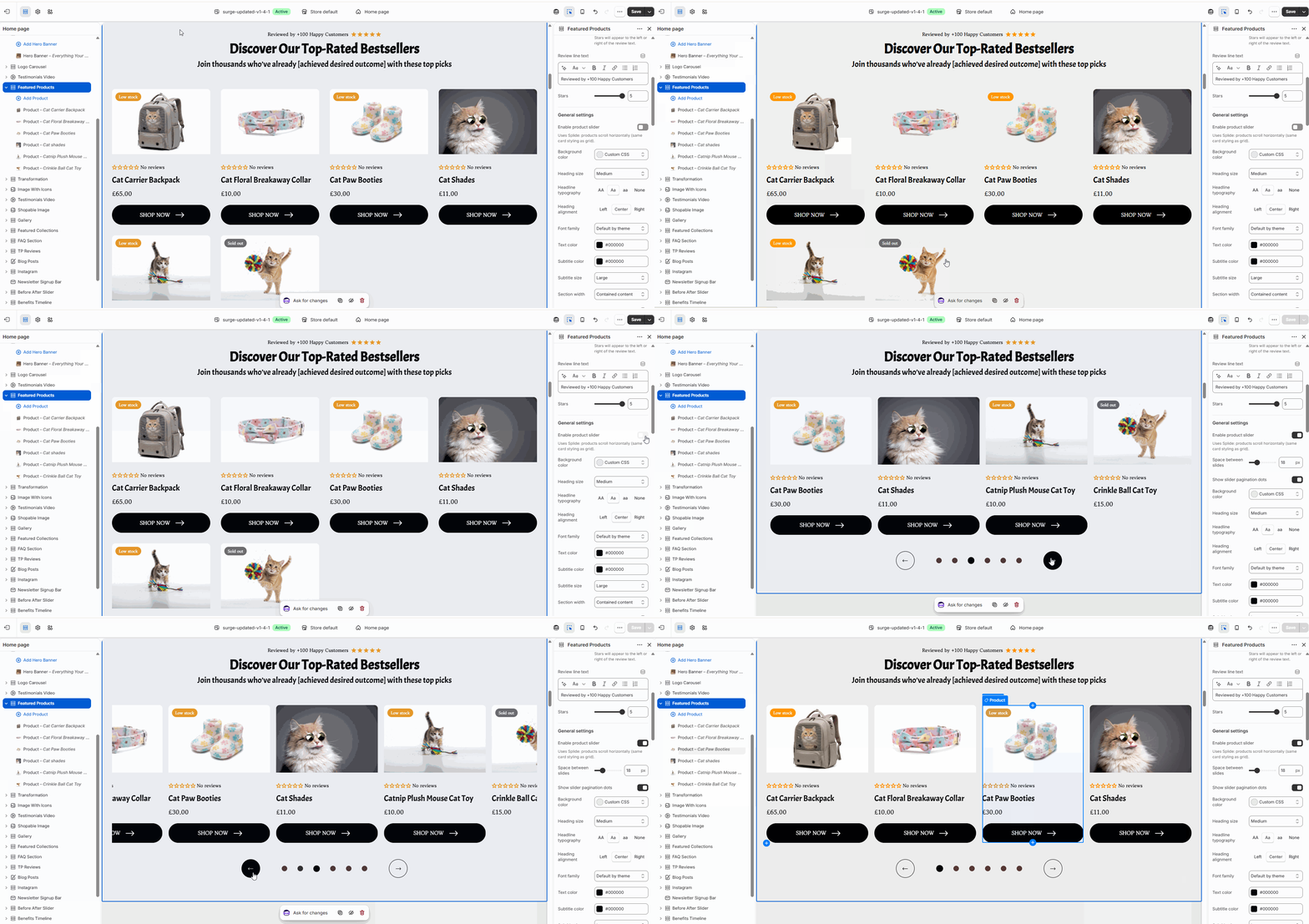
Step 3: Enable the Slider Layout

Within the Featured Products settings panel:

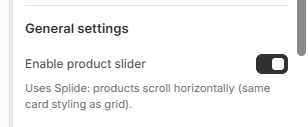
  1. Find the Enable product slider option under General settings.
  2. Toggle the setting ON.

Once enabled, the product cards will switch from the default stacked layout to a horizontally scrollable slider.


Step 4: Customize the Slider (Optional)

When the slider is enabled, you can further customize the experience using additional settings such as:

  • Space between slides
  • Slider pagination dots
  • Other section styling options available in the editor

Adjust these settings to match your store's design and customer experience goals.


Pro Tip

Use the Slider layout when showcasing larger collections or best-selling products. It helps keep the page clean and compact while still allowing customers to browse multiple products without taking up excessive vertical space.

For smaller product selections, the default stacked layout may provide better visibility since customers can see all products immediately without scrolling.


You're All Set!

Your Featured Products section can now be displayed either as a traditional stacked product grid or as an interactive slider, giving you greater control over how products are presented to your customers.

If you have any questions or need assistance with your Featured Products section, feel free to contact our support team at [email protected] and we'll be happy to help.

Was this article helpful?

That’s Great!

Thank you for your feedback

Sorry! We couldn't be helpful

Thank you for your feedback

Let us know how can we improve this article!

Select at least one of the reasons
CAPTCHA verification is required.

Feedback sent

We appreciate your effort and will try to fix the article