Overview
The Surge Theme includes a built-in setting that allows you to easily control the aspect ratio of product and collection images across key sections of your store.
With this feature, you can choose from predefined portrait and landscape ratios such as 1:1, 4:3, and 16:9, ensuring your product and collection images display consistently without needing to manually resize each image.
This setting helps maintain a clean, professional layout across several areas of your store, including:
Featured Products on the homepage
Featured Collections sections
Collection and slider images in the Main Menu
By applying a consistent ratio automatically, Surge ensures images scale properly without stretching or distortion, keeping your storefront visually balanced.
How to Customize Image Aspect Ratios
Follow these steps to adjust the image ratio used for product cards and collection displays.
1. Open the Theme Editor
In your Shopify admin, go to Online Store → Themes.
Click Customize on your Surge Theme.
2. Locate the Section You Want to Edit
In the left sidebar, navigate to the section you want to modify.
For example:
Featured Products
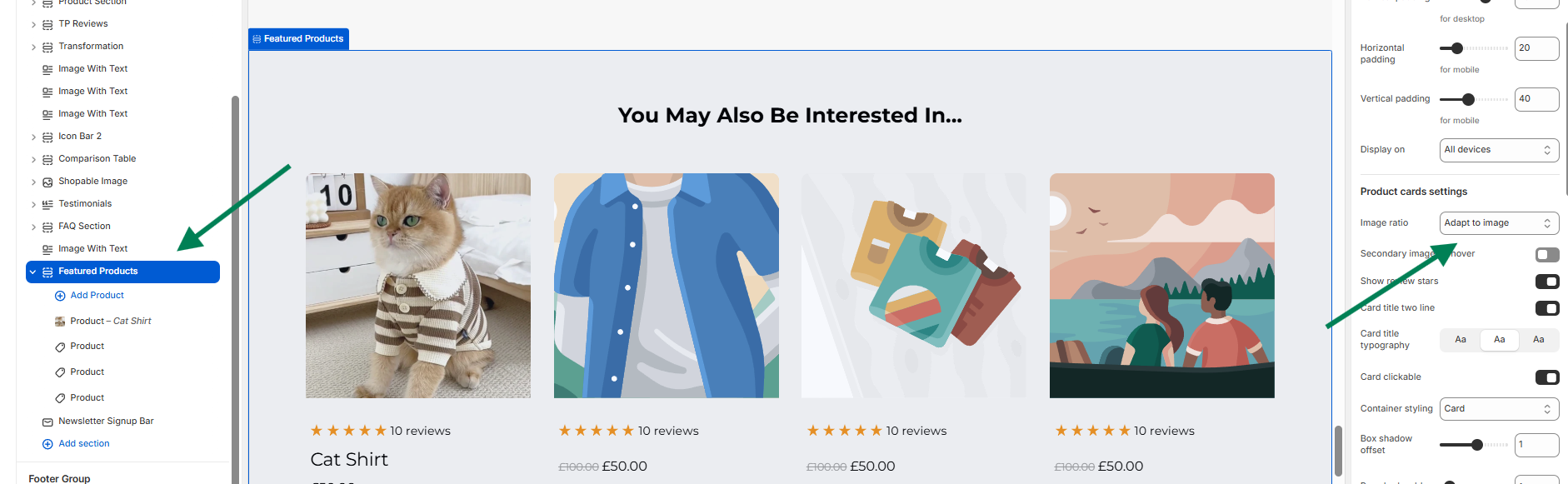
Product Section media Gallery
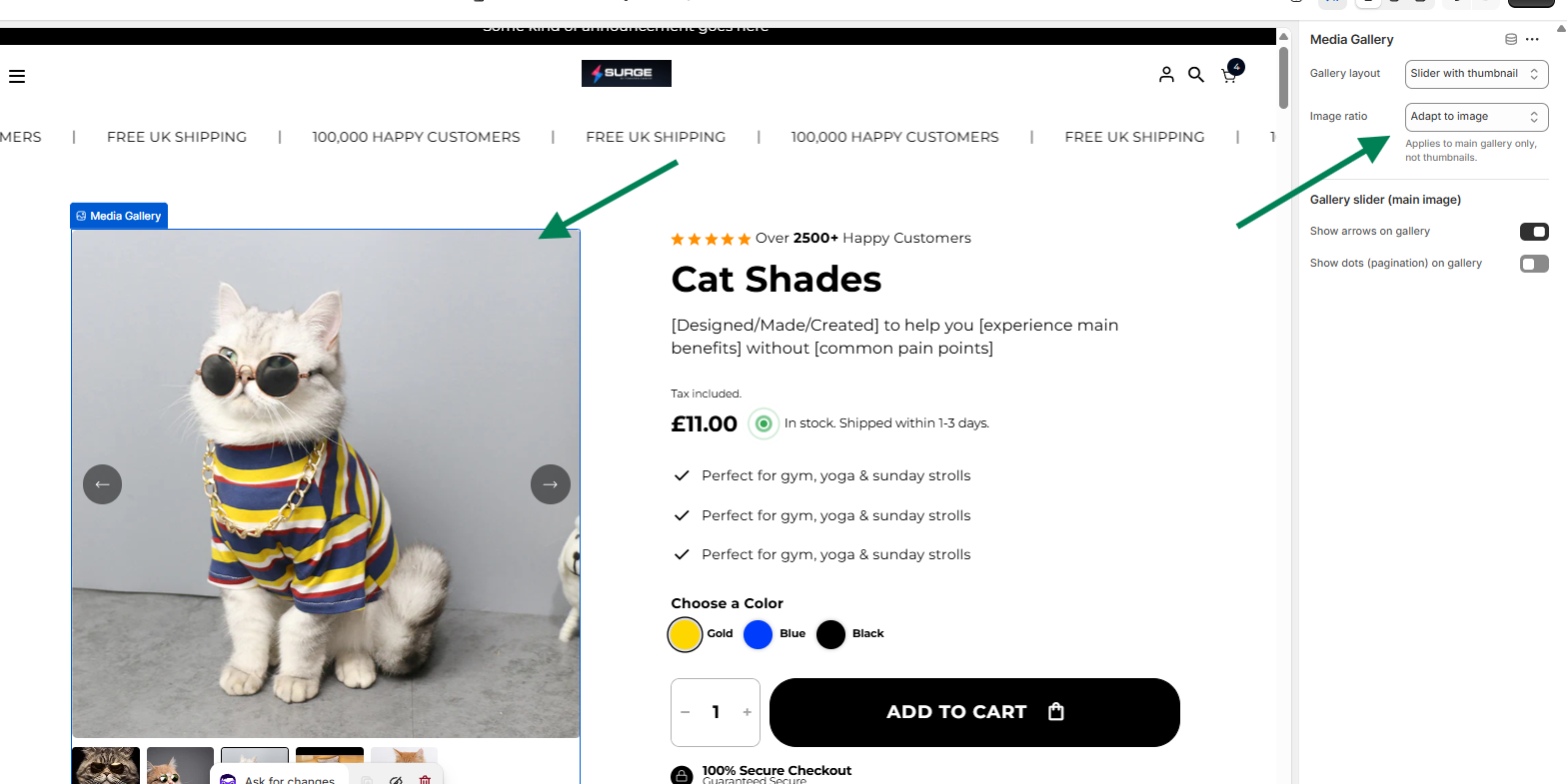
3. Open Product Card Settings
Select the section (such as Featured Products).
In the right-hand settings panel, locate Product cards settings.
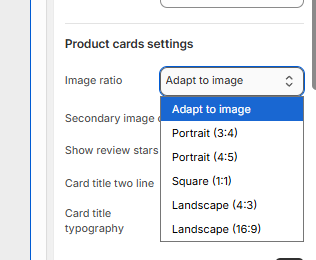
4. Select the Image Ratio
Under Image ratio, choose the ratio that best fits your product images.
Available options may include:
Adapt to image – Uses the original image ratio
Portrait - 3:4
Portrait - 4:5
Square - 1:1
Landscape - 4:3
Landscape - 16:9
Once selected, the ratio will automatically apply to:
Featured Products
Featured Collections
Collection images and menu sliders
This ensures a consistent product display throughout your store without editing individual image files.
Tips for Best Results
Square product photos (1:1) work best for most ecommerce catalogs.
4:3 or 16:9 works well for lifestyle images or banners.
If your product images already vary in size, Adapt to image keeps their original proportions.
Need Help?
If you need assistance configuring image ratios or improving how your products display, our team is happy to help.
You can:
Click Create a support ticket in the help center, or
Email us directly at [email protected]
We'll be glad to assist you! ?
Was this article helpful?
That’s Great!
Thank you for your feedback
Sorry! We couldn't be helpful
Thank you for your feedback
Feedback sent
We appreciate your effort and will try to fix the article