Overview
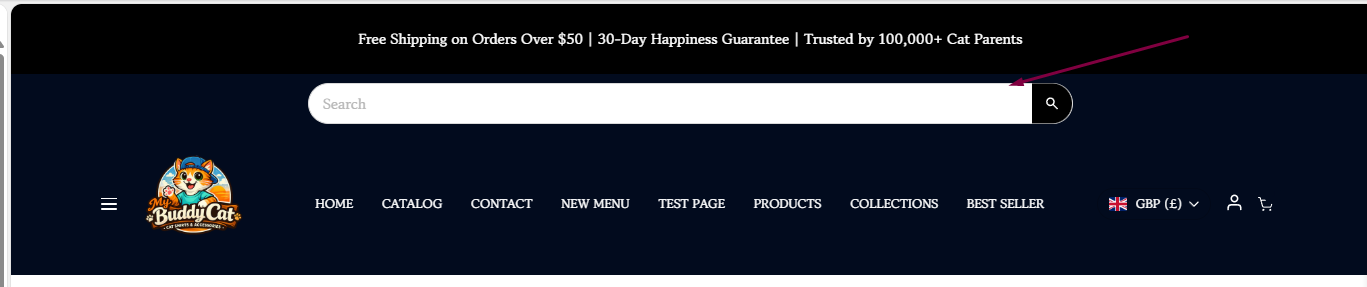
The Fixed Search Bar allows you to display a search input field directly in your store's header, eliminating the need for customers to first click the search (magnifying glass) icon.
By making search immediately visible, customers can find products faster and begin searching as soon as they land on your store.
Benefits
- Makes product search more visible and accessible.
- Reduces the number of clicks required to search.
- Helps customers find products faster.
- Improves the shopping experience, especially for stores with large product catalogs.
- Encourages product discovery and can help increase conversions.
How to Enable the Fixed Search Bar
To display the search bar in your header:
- From your Shopify admin, navigate to Online Store.
- Locate your Surge theme and click Edit Theme.
- Navigate to the Header section.
- In the Header editor, locate Enable Search.
- Toggle to enable
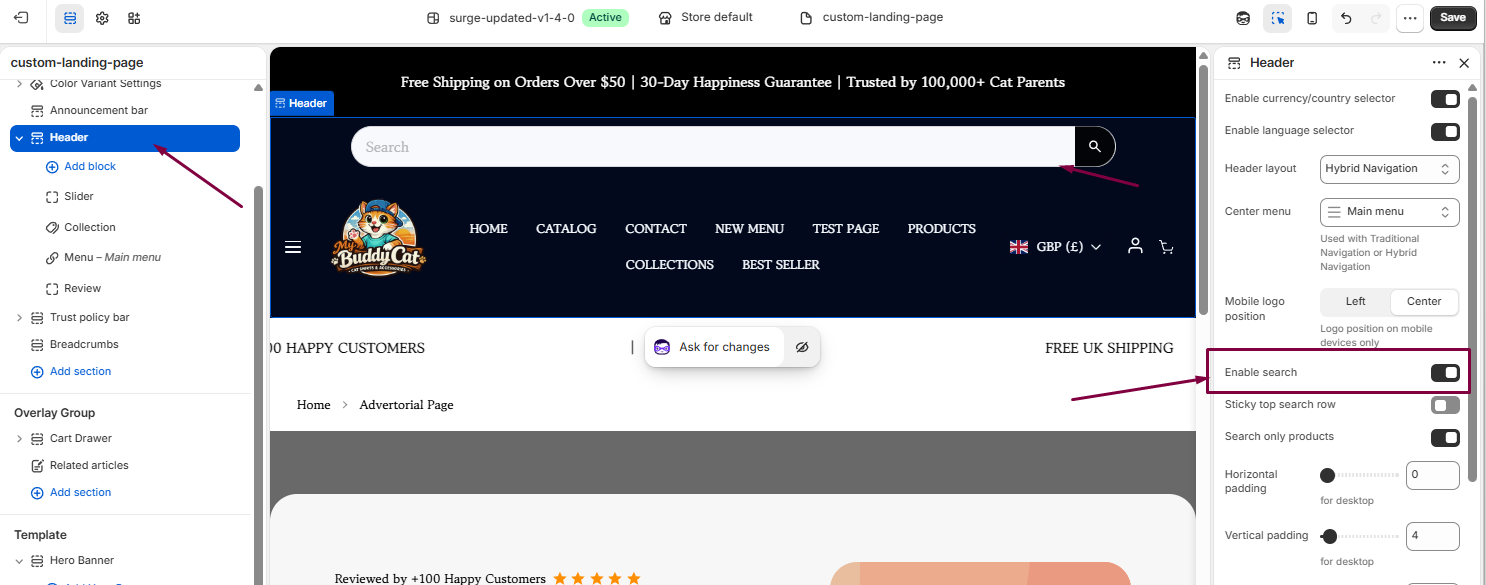
- Click Save to apply your changes.
How It Works
When enabled, the search field will be displayed directly in your store's header. Customers can begin typing their search query immediately, without needing to click the search icon first.
This creates a more streamlined shopping experience and makes product discovery quicker and easier.
Need Help?
If you have any questions or need assistance configuring the Fixed Search Bar, we're happy to help.
Click Submit a Support Ticket within our Help Center, or email us at [email protected], and our team will get back to you as soon as possible.
Was this article helpful?
That’s Great!
Thank you for your feedback
Sorry! We couldn't be helpful
Thank you for your feedback
Feedback sent
We appreciate your effort and will try to fix the article