Overview
The Price block in the Surge Theme is where your product pricing is displayed along with real-time stock messaging. It not only shows the price of the selected variant, but also communicates availability through customizable text and color controls.
This helps customers instantly understand whether a product is available and ready to ship — improving clarity and conversions.
What the Price Block Controls? Product Price Display
Displays the current price of the selected product or variant directly on the product page.
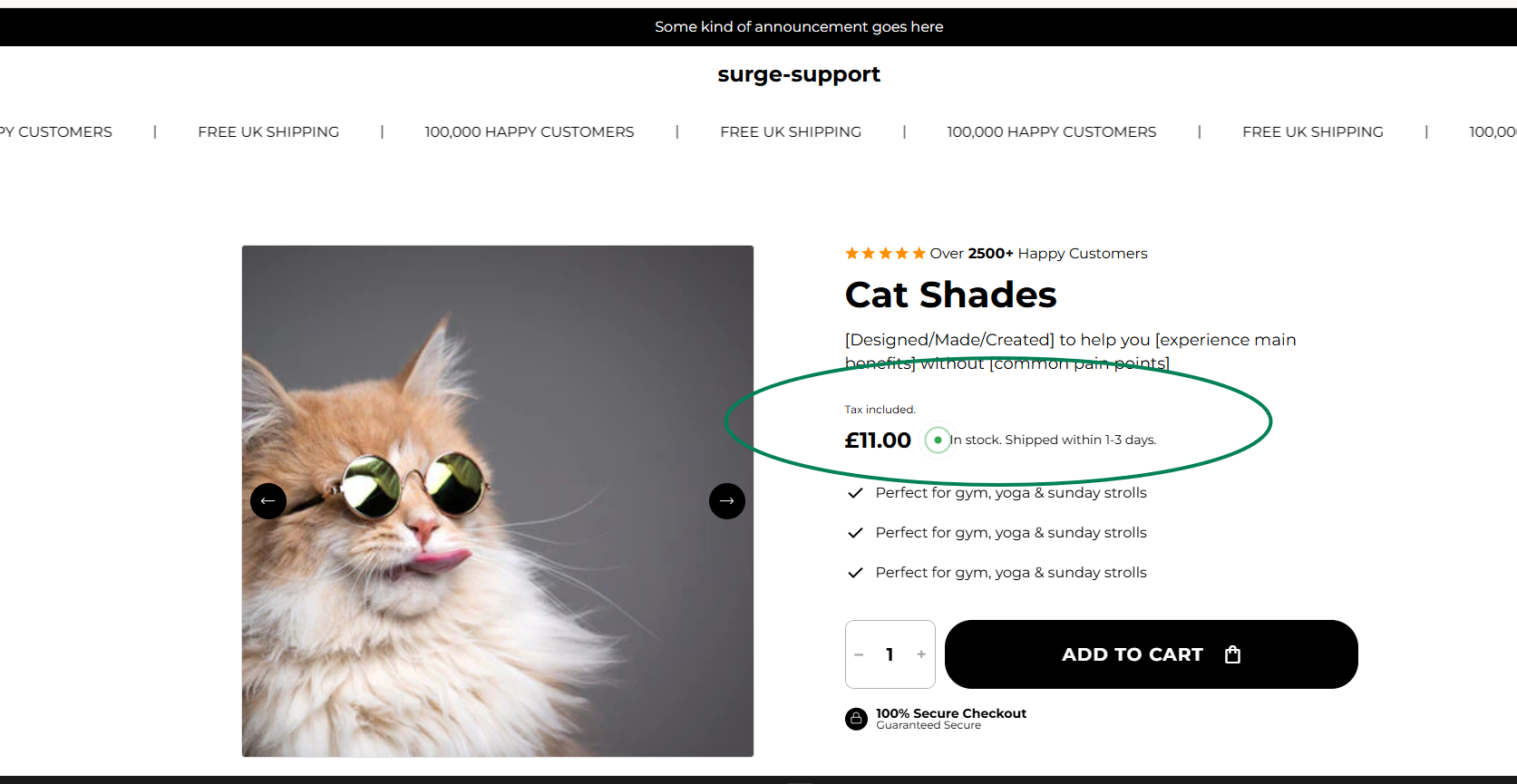
✅ In Stock Text
Example: In stock.
This is the message shown when the selected variant is available.
Best Practice:
Keep it short and clear:
“In Stock”
“Available”
“Ready to Ship”
You may also add light urgency:
“Limited Stock”
“Only a few left”
❌ Out of Stock Text
Example: Sorry, but product out of stock now.
This message appears when the selected variant is unavailable.
Best Practice:
Keep the tone friendly.
Optionally guide customers to alternatives:
“Currently unavailable”
“Out of Stock — Check other options”
“Sold Out — More coming soon”
? In Stock Color
Choose the color used for the in-stock message or badge.
Recommended:
Green (#34A853 style tone) for clarity and trust.
Ensure it contrasts well with your background.
? Out of Stock Color
Select the color for out-of-stock messaging.
Recommended:
Red for urgency
Gray for neutral tone
Avoid using green to prevent confusion
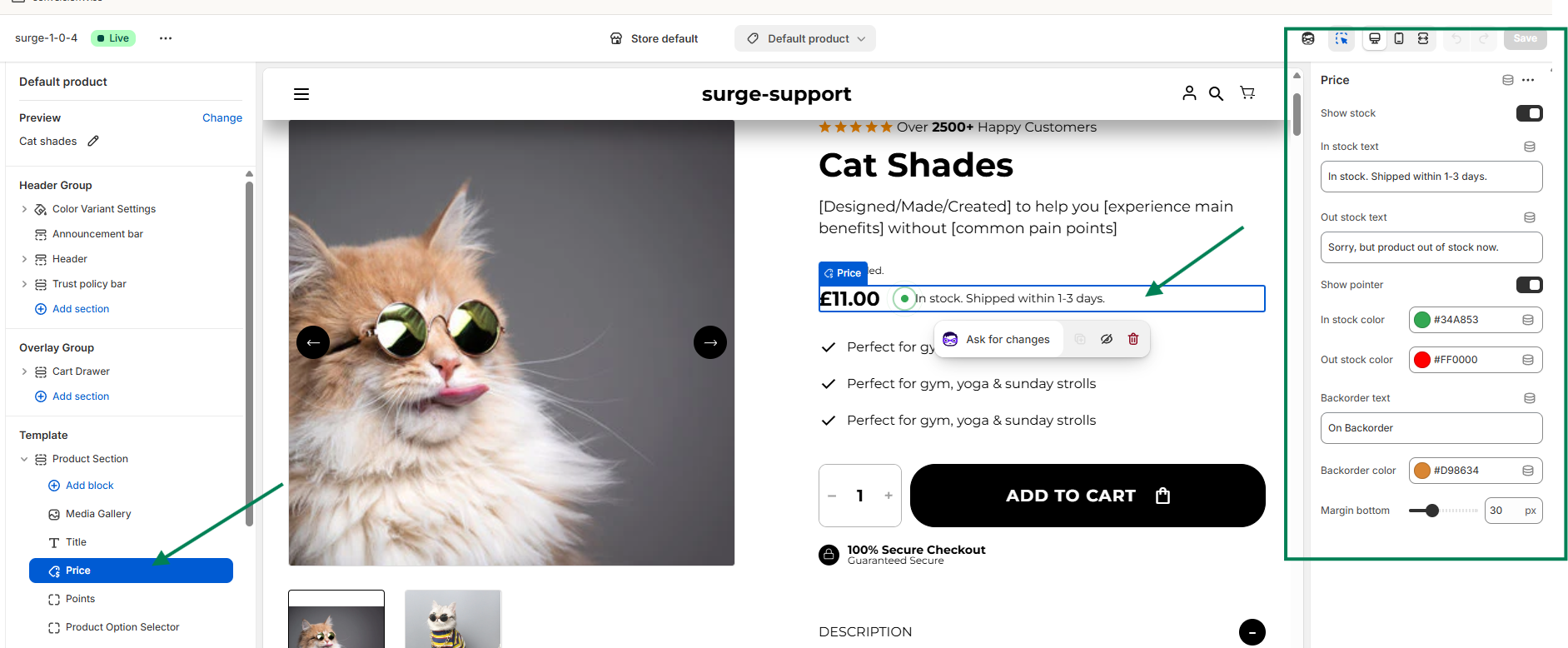
How to Use the Price Block Effectively
You can fully customize the messaging and colors to match your brand tone and urgency strategy.
Examples:
Use “Limited Stock” in orange to create urgency.
Use a softer gray tone for backordered products.
Keep wording consistent across your store.
Clear stock messaging reduces hesitation and builds trust with customers at the moment of purchase.
Need Help?
If you need assistance customizing your Price block or optimizing your product page:
? Click “Create a support ticket” inside the Help Center
? Or email us directly at [email protected]
We’re always happy to help you get the most out of Surge ?
Was this article helpful?
That’s Great!
Thank you for your feedback
Sorry! We couldn't be helpful
Thank you for your feedback
Feedback sent
We appreciate your effort and will try to fix the article