Overview
The Order Dispatch Countdown helps create urgency on your product pages by displaying a live countdown timer showing how much time remains before an order will be dispatched.
The timer updates automatically based on the current time and can be configured to exclude weekends and holidays, ensuring customers receive accurate dispatch information.
Features
- Displays a countdown showing the time remaining until order dispatch.
- Automatically updates based on the current time.
- Option to disable the countdown on weekends.
- Option to disable the countdown on holidays.
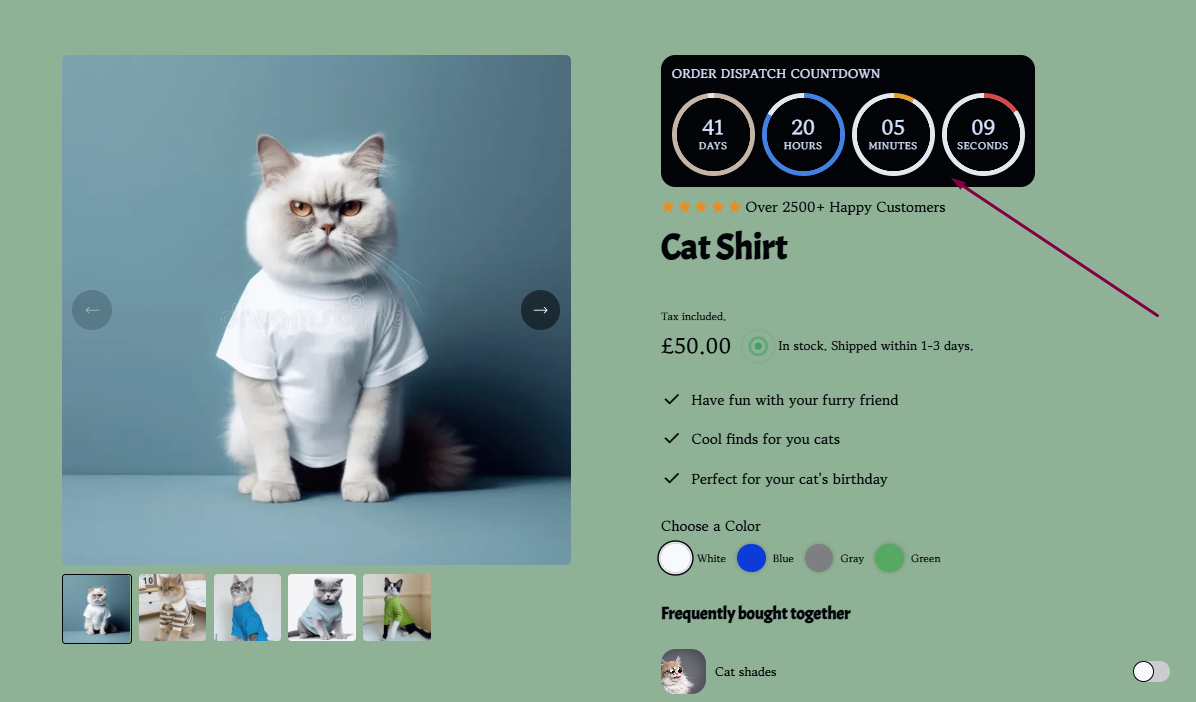
How to Enable the Order Dispatch Countdown
To add the Order Dispatch Countdown to your product page:
- From your Shopify admin, navigate to Online Store.
- Locate your Surge theme and click Edit Theme.
- Open a Product Page template.
- Under Product Section, click Add Block.
- Select Order Dispatch Countdown.
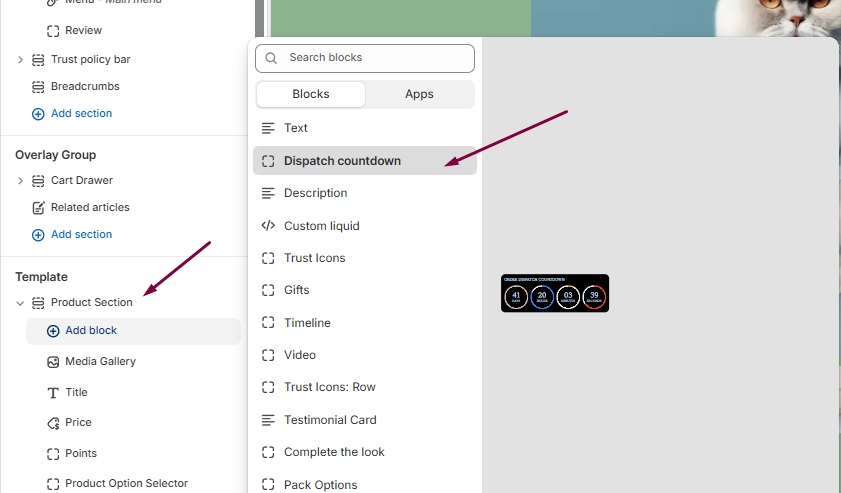
- Configure the countdown settings as desired, including weekend and holiday exclusions and colors
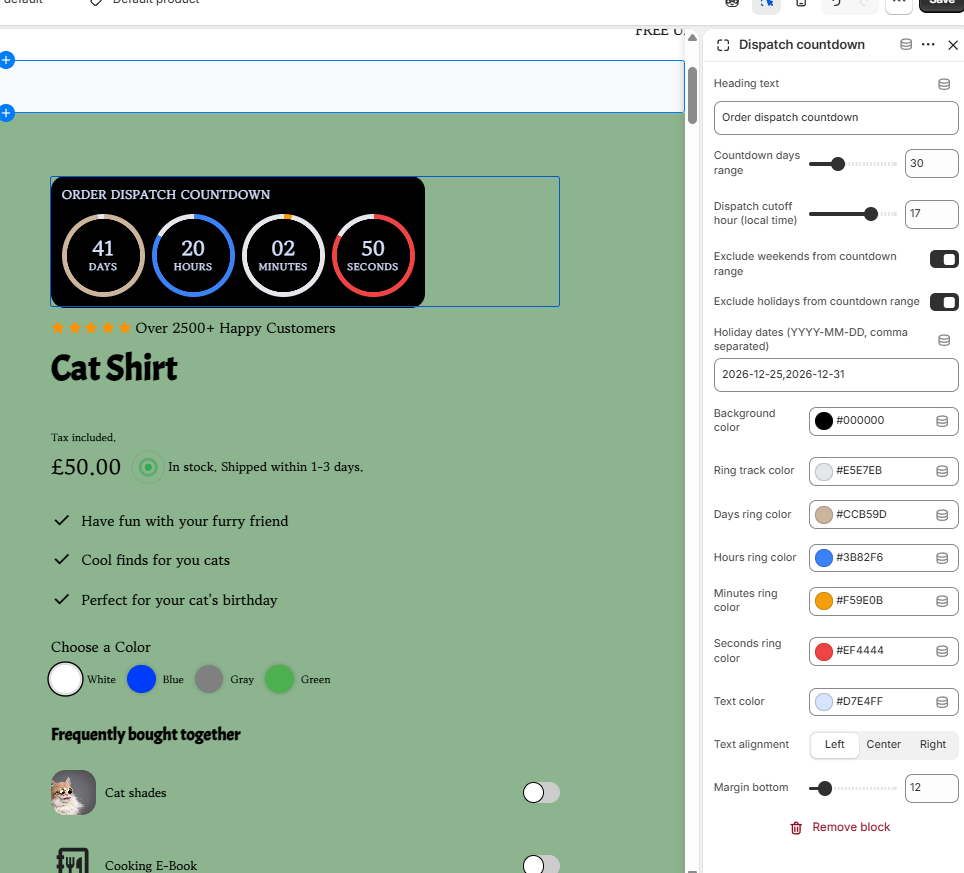
- Click Save to publish your changes.
Additional Settings
Once the block has been added, you can customize its behavior by:
- Enabling or disabling the countdown display.
- Choosing whether the timer should run on weekends.
- Choosing whether the timer should run on holidays.
- Adjusting the dispatch messaging shown to customers.
Need Help?
If you have any questions or need assistance setting up the Order Dispatch Countdown, we're happy to help.
Click Submit a Support Ticket within our Help Center, or email us at [email protected], and our team will get back to you as soon as possible.
Was this article helpful?
That’s Great!
Thank you for your feedback
Sorry! We couldn't be helpful
Thank you for your feedback
Feedback sent
We appreciate your effort and will try to fix the article